1
Add the Extension to your profile
Go to the Chrome Webstore and type “Top1 Trading Extension” or use this link: https://chromewebstore.google.com/detail/aadnmmgnhmaheicgipnpmgbibclkjdlc?utm_source=item-share-cb
After that, just add the extension to your chrome profile.
After that, just add the extension to your chrome profile.
2
Open the Extension
After it got downloaded and added to your account, you can open it by clicking on the little icon in the top right corner and with a left click on the Extension.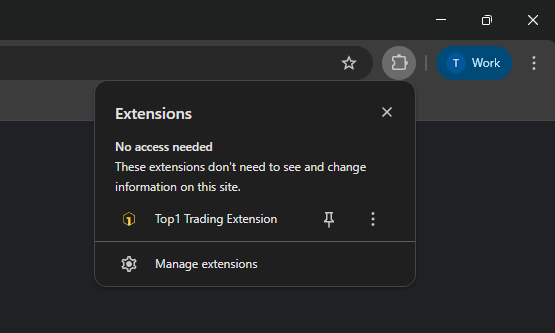
3
Create Your Account
You now got 2 Options. Either you create a new Wallet or import an exinsting one.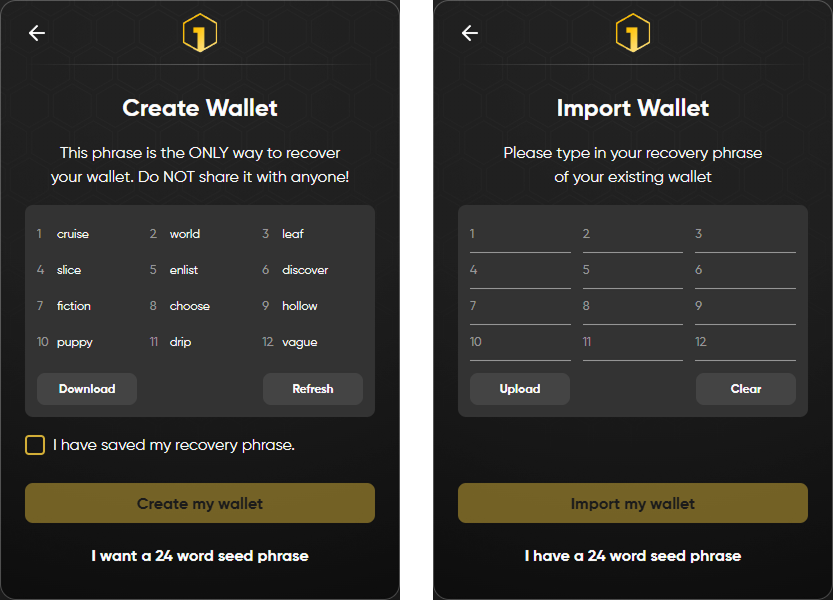
Important: Save your recovery phrase and NEVER share it with anyone else.
If you want to import a wallet you already have, you can simply type in your 12 or 24 recovery phrase.
Important: Save your recovery phrase and NEVER share it with anyone else.
If you want to import a wallet you already have, you can simply type in your 12 or 24 recovery phrase.
4
Set Username & Password
You now have to set a username & password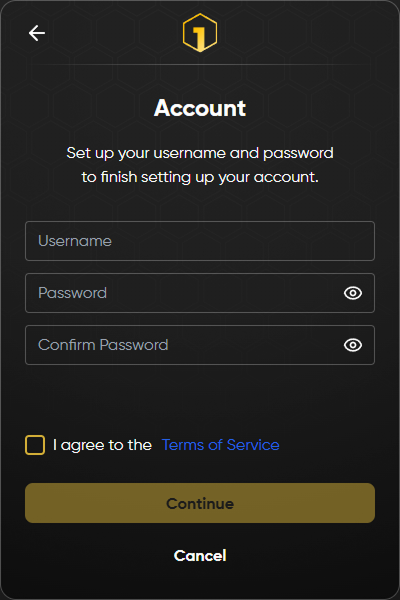
5
Finish Setup
The Installation and Setup is now finished. Click “get started” to manage your Wallet & Account.