> ## Documentation Index
> Fetch the complete documentation index at: https://docs.top1.trade/llms.txt
> Use this file to discover all available pages before exploring further.
# Third View: Positions & Trade History
> The third view is focused on tracking your active positions and reviewing past executions. It provides a simple portfolio-level overview directly inside the terminal, without leaving your trading workflow.
## Active Positions
The Positions tab displays the tokens you currently hold and your ongoing exposure.
Here you can:
* monitor open positions at a glance
* stay aware of current allocation while trading
* quickly switch context between held assets
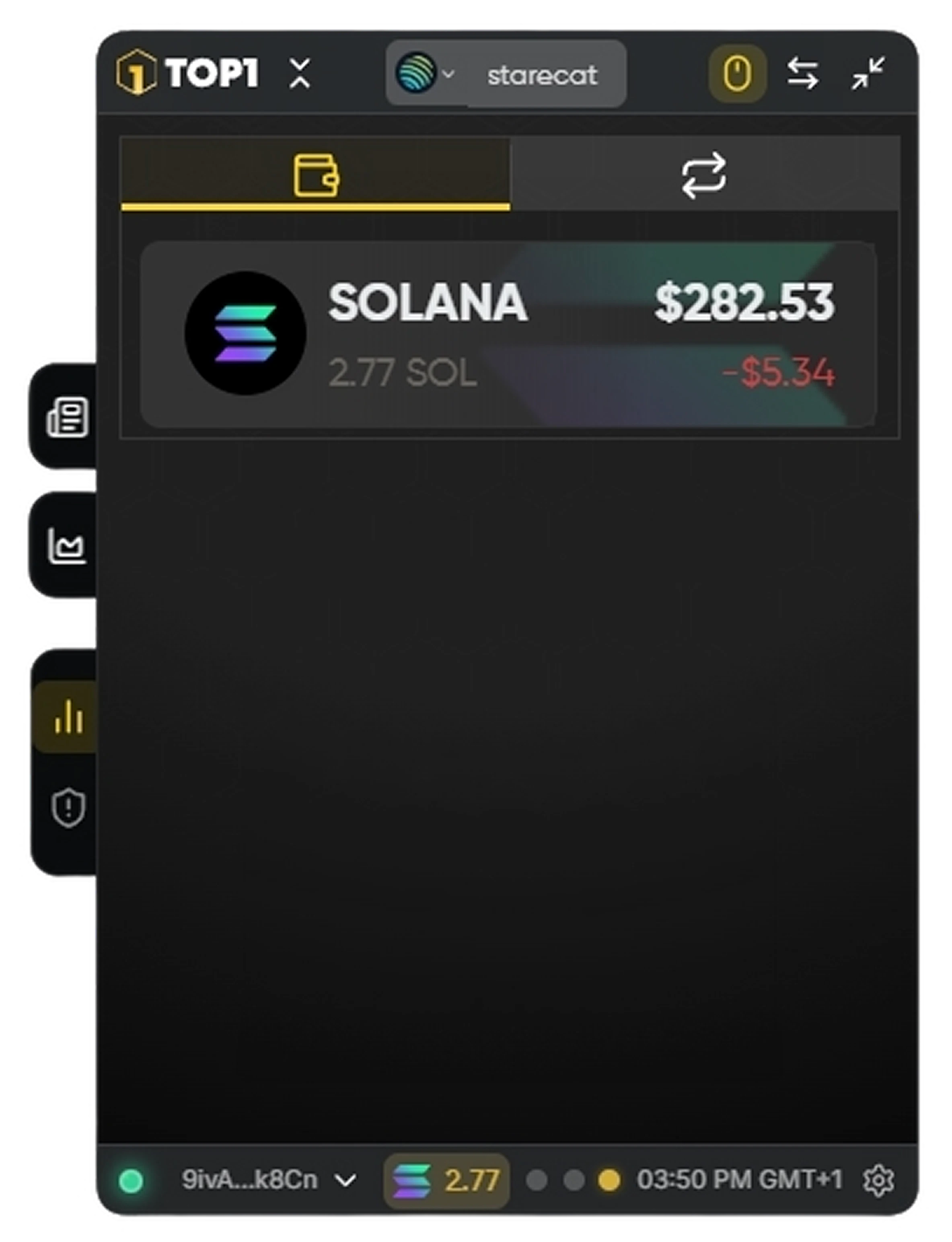 This view is designed for lightweight position tracking during active sessions.
## Trade History
The History tab shows your most recent trades and execution records.
Each entry includes key trade information such as:
* token swapped
* transaction outcome
* fees and status indicators
This view is designed for lightweight position tracking during active sessions.
## Trade History
The History tab shows your most recent trades and execution records.
Each entry includes key trade information such as:
* token swapped
* transaction outcome
* fees and status indicators
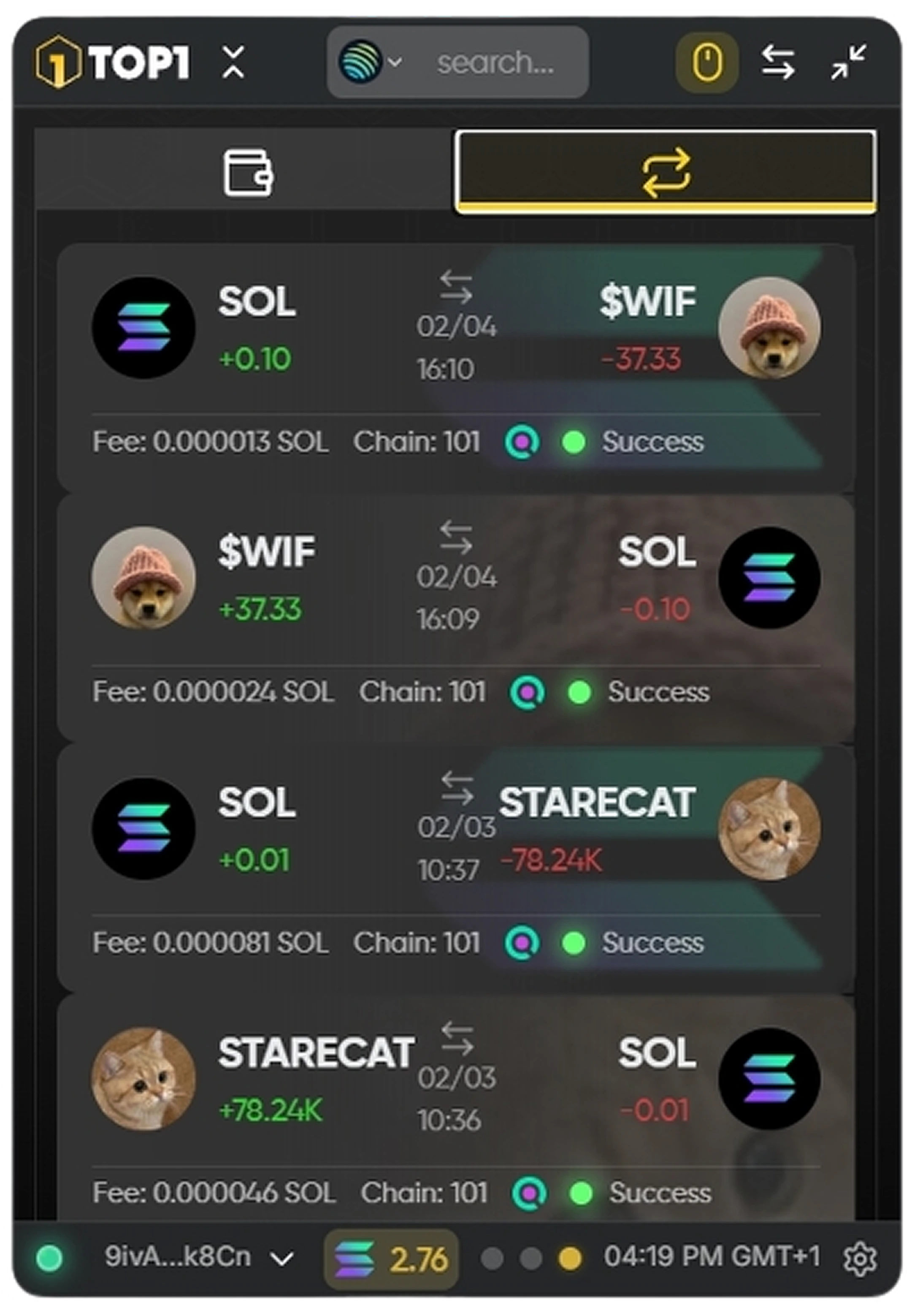 For deeper inspection, clicking on a trade will automatically open the full transaction details in your selected Solana explorer.
Use this view to quickly verify past executions or confirm that trades have been successfully finalized.
For deeper inspection, clicking on a trade will automatically open the full transaction details in your selected Solana explorer.
Use this view to quickly verify past executions or confirm that trades have been successfully finalized.