> ## Documentation Index
> Fetch the complete documentation index at: https://docs.top1.trade/llms.txt
> Use this file to discover all available pages before exploring further.
# Trade Settings
> TOP1 allows you to customize your trading experience through dedicated trade settings. These options control your quick trade presets, execution behavior, and notification preferences.
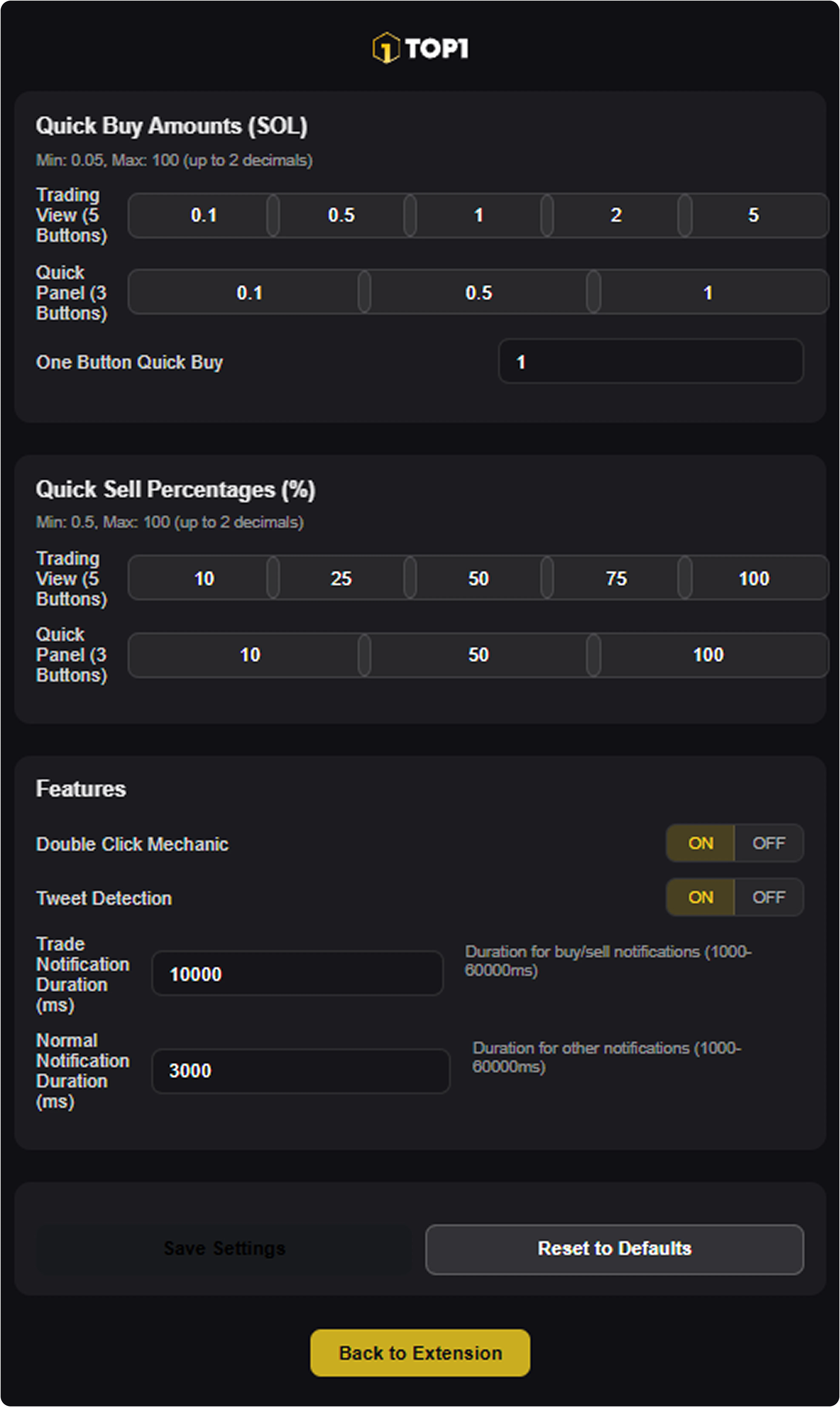 You can access Trade Settings either through the wallet settings menu or directly from the trading terminal using the gear icon in the bottom-right corner.
## Quick Buy Amount Presets
Trade Settings let you define fixed SOL amounts for instant entries.
You can configure separate preset buttons for:
* the main Trading View (up to 5 quick buy buttons)
* the compact Quick Panel (up to 3 buttons)
* an optional one-button quick buy value for fastest execution
You can access Trade Settings either through the wallet settings menu or directly from the trading terminal using the gear icon in the bottom-right corner.
## Quick Buy Amount Presets
Trade Settings let you define fixed SOL amounts for instant entries.
You can configure separate preset buttons for:
* the main Trading View (up to 5 quick buy buttons)
* the compact Quick Panel (up to 3 buttons)
* an optional one-button quick buy value for fastest execution
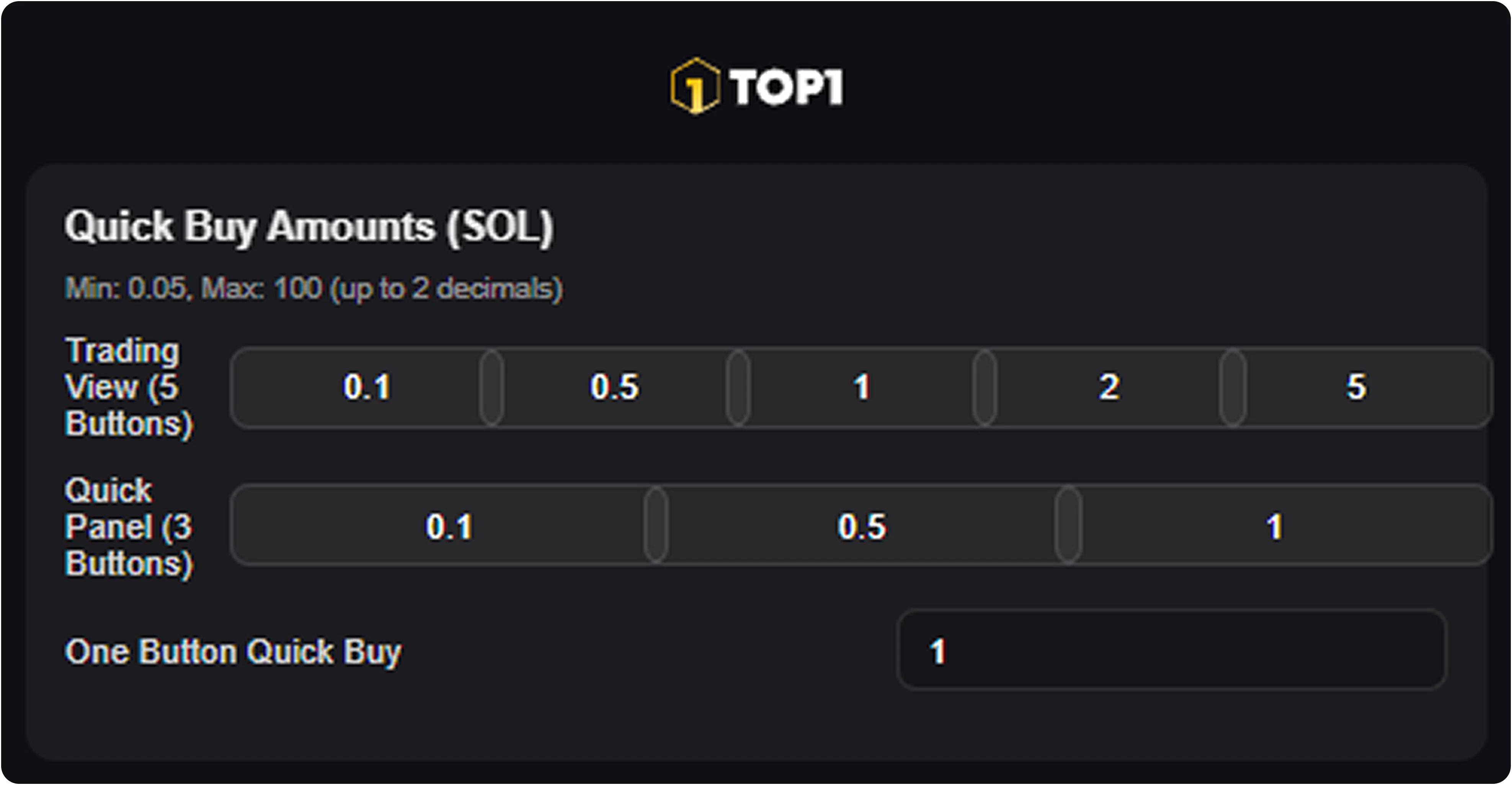 These presets are designed to reduce friction during fast market conditions.
## Quick Sell Percentage Presets
For position exits, you can set percentage-based sell buttons.
This allows you to:
* take partial profits quickly
* scale out of positions in predefined steps
* fully close a trade using a 100% sell preset
These presets are designed to reduce friction during fast market conditions.
## Quick Sell Percentage Presets
For position exits, you can set percentage-based sell buttons.
This allows you to:
* take partial profits quickly
* scale out of positions in predefined steps
* fully close a trade using a 100% sell preset
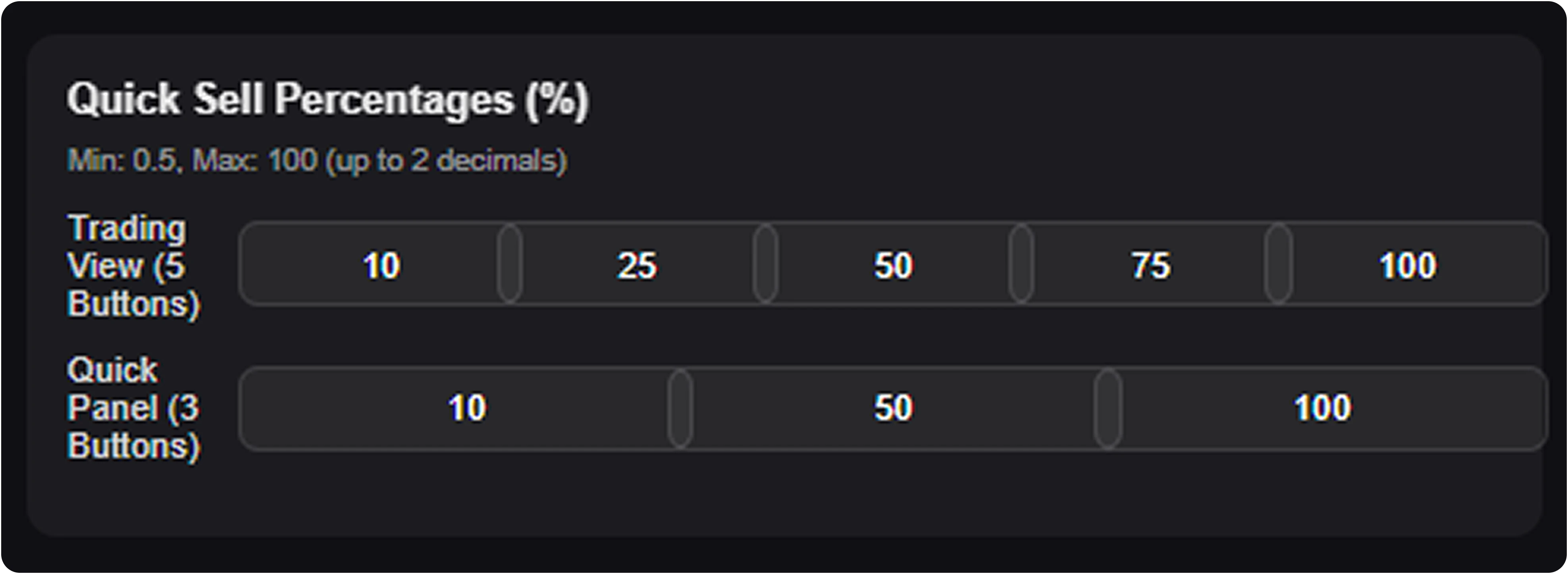 Presets can be customized independently for different terminal layouts.
## Execution Features & Notifications
TOP1 includes additional safety and convenience options that affect how trades are confirmed and how feedback is displayed.
These settings allow you to:
* enable the **Double Click Mechanic** to prevent accidental buys or sells
* toggle **Tweet Detection** for supported social trading flows
* adjust how long trade confirmation messages remain visible after execution
* configure separate durations for trade-related and general system notifications
Presets can be customized independently for different terminal layouts.
## Execution Features & Notifications
TOP1 includes additional safety and convenience options that affect how trades are confirmed and how feedback is displayed.
These settings allow you to:
* enable the **Double Click Mechanic** to prevent accidental buys or sells
* toggle **Tweet Detection** for supported social trading flows
* adjust how long trade confirmation messages remain visible after execution
* configure separate durations for trade-related and general system notifications
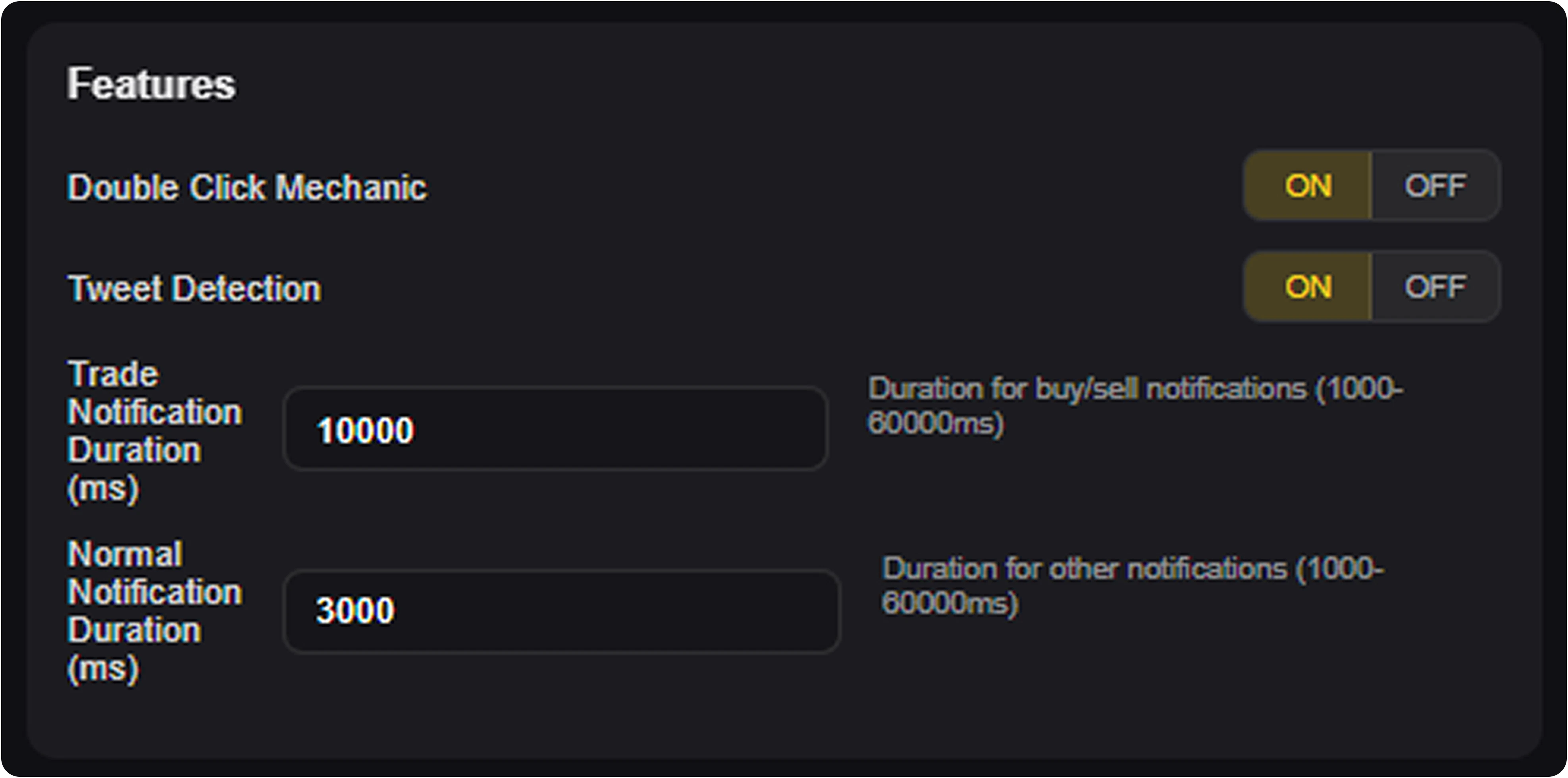 These options help you tailor TOP1 to your preferred balance of speed, safety, and on-screen feedback.
### Save and Reset
Once configured, you can:
* save your settings permanently
* reset all presets back to default values at any time
Custom trade presets are one of the most effective ways to optimize TOP1 for your personal trading workflow.
These options help you tailor TOP1 to your preferred balance of speed, safety, and on-screen feedback.
### Save and Reset
Once configured, you can:
* save your settings permanently
* reset all presets back to default values at any time
Custom trade presets are one of the most effective ways to optimize TOP1 for your personal trading workflow.